How to organize images downloaded with gallery-dl (by character, not by site)
gallery-dl is great at getting everything. The result is thousands of files sorted by site and artist, named by post ID. How to turn that into a collection you can actually browse by character and scene.
What a gallery-dl folder looks like after a few months
gallery-dl is an open-source command-line tool that downloads images from hundreds of sites: Pixiv, X, DeviantArt, booru sites, Patreon, FANBOX and more. It does its job very well, which is exactly the problem.
By default it files things by where they came from: one folder per site, one folder per artist inside it, and file names built from post IDs, like 12345678_p0.png. That is perfect for keeping downloads in sync. It is not how you look for a picture. When you want "that character in the winter coat", the site and the artist are the last thing you remember.
Why the usual fixes do not scale
- Moving files by hand stops working after a few hundred images, and the next sync brings more.
- Custom directory patterns in the gallery-dl config can sort by tag or title, but tags are inconsistent between sites and artists, and most files end up in an "other" bucket.
- Metadata files (
--write-metadata) are useful for search, but they do not arrange the folder.
Sort by what is drawn
Art Sorter takes the other route. Point it at your gallery-dl folder, or a copy of it, and it looks at the pictures themselves:
- the same character is grouped together across every site and artist folder
- inside each character, images are ordered by scene and then in sequence
- copies are set aside, including the same image downloaded from two sites at different sizes
- the artist folders are used as a clue, so a post that drifted into the wrong group is pulled back to its folder-mates
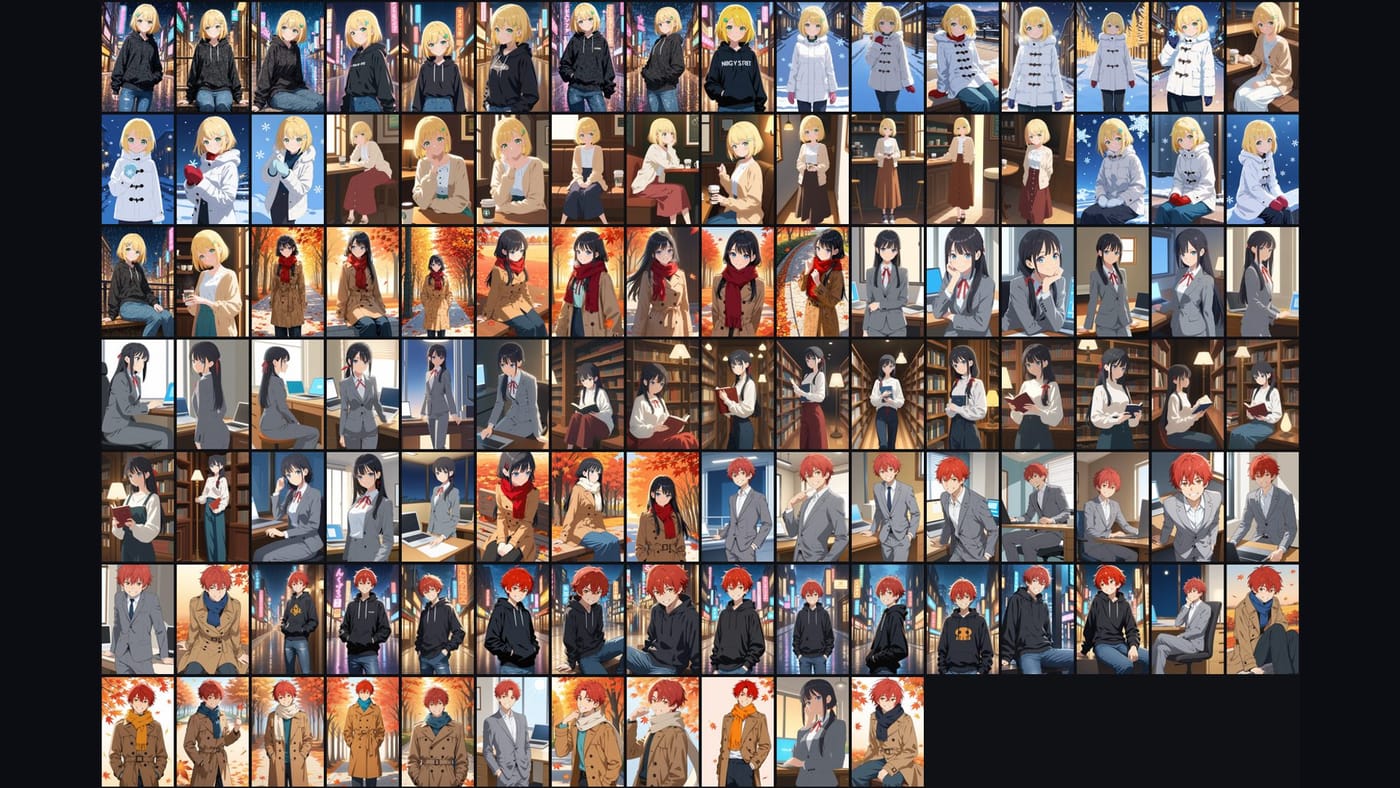
Nothing is uploaded. It runs on your PC, and it works with the internet off after the first model download.
A setup that keeps working with every sync
- Keep gallery-dl writing to its usual folder. Do not change your config.
- Run Art Sorter on that folder in copy mode the first time. Your download folder stays exactly as it was, so gallery-dl's archive and skip logic are not affected.
- After the next sync, add only the new files to your sorted collection. They slot in next to the images they resemble; the order you already fixed stays.
- Name each character group once. The files are renamed together, and similar groups get the same name suggested later.
Copy mode matters here. gallery-dl decides what to skip by looking at its own folder and archive file. Sorting a copy keeps the two jobs separate.
Tips
- Download the originals. Many sites serve smaller previews too. If you end up with both, Art Sorter keeps the larger file in the line and sets the smaller one aside.
- Big collections are fine. Tens of thousands of images in one run, with pause and resume.
- Keep using your tag tools. Names and tags can be exported to Hydrus sidecars, XMP (digiKam, XnView MP), Eagle or CSV.
A note on sources
Download only what you have access to, such as posts from creators you support or content you bought, and follow each creator's terms. Do not redistribute their work.
Who this is for
If you use gallery-dl, PixivUtil2 or a similar bulk downloader and your collection is past the point where you can find things, this is the missing second half: the tool that gets everything, and then a tool that puts it in order.