Keep picture variations together (same scene, different expression)
Artists often post one scene in several versions: a different expression, outfit or effect. Sorting by name or date scatters them. How to keep each set of variations side by side, in order, without merging them into one file.
The problem with variations
Many illustrators post one scene as a small set: the base picture plus versions with a different expression, outfit, background or effect. In Japanese these are called *sabun* (差分). Collectors love them, and they are exactly what gets lost in a big folder.
- Sorted by name, the set breaks apart because each site names files its own way.
- Sorted by date, the set is split by whatever else you saved that day.
- A duplicate finder may treat them as copies and suggest deleting all but one.
A variation is not a copy. It should stay, next to its siblings, in the order the artist meant.
What "keeping them together" needs
- Recognize the set. The pictures share the same scene and composition, with small changes.
- Separate it from true copies. A resized re-upload of the same picture is a copy; a version with a different expression is a variation.
- Keep an order. Usually base picture first, then the changes step by step.
Ways to do it
| Way | Effort | Works well when |
|---|---|---|
| A subfolder per set by hand | High | You have a few sets and time to drag files |
| Tags in Hydrus or Eagle | Medium to high | You already tag everything and search by tags |
| A content sorter such as Art Sorter | Low | You have thousands of saved pictures and want sets found for you |
How Art Sorter handles variations
- It groups pictures by character first, then by scene, so variations of one scene land next to each other.
- Inside a scene it keeps a sequence, so the base picture and its changes read in a natural order. You can drag a picture to fix the order, and that fix is remembered.
- True copies (same picture, different size or format) go to a separate duplicates folder. Variations stay in the collection.
- Nothing is merged into one file and nothing is deleted.
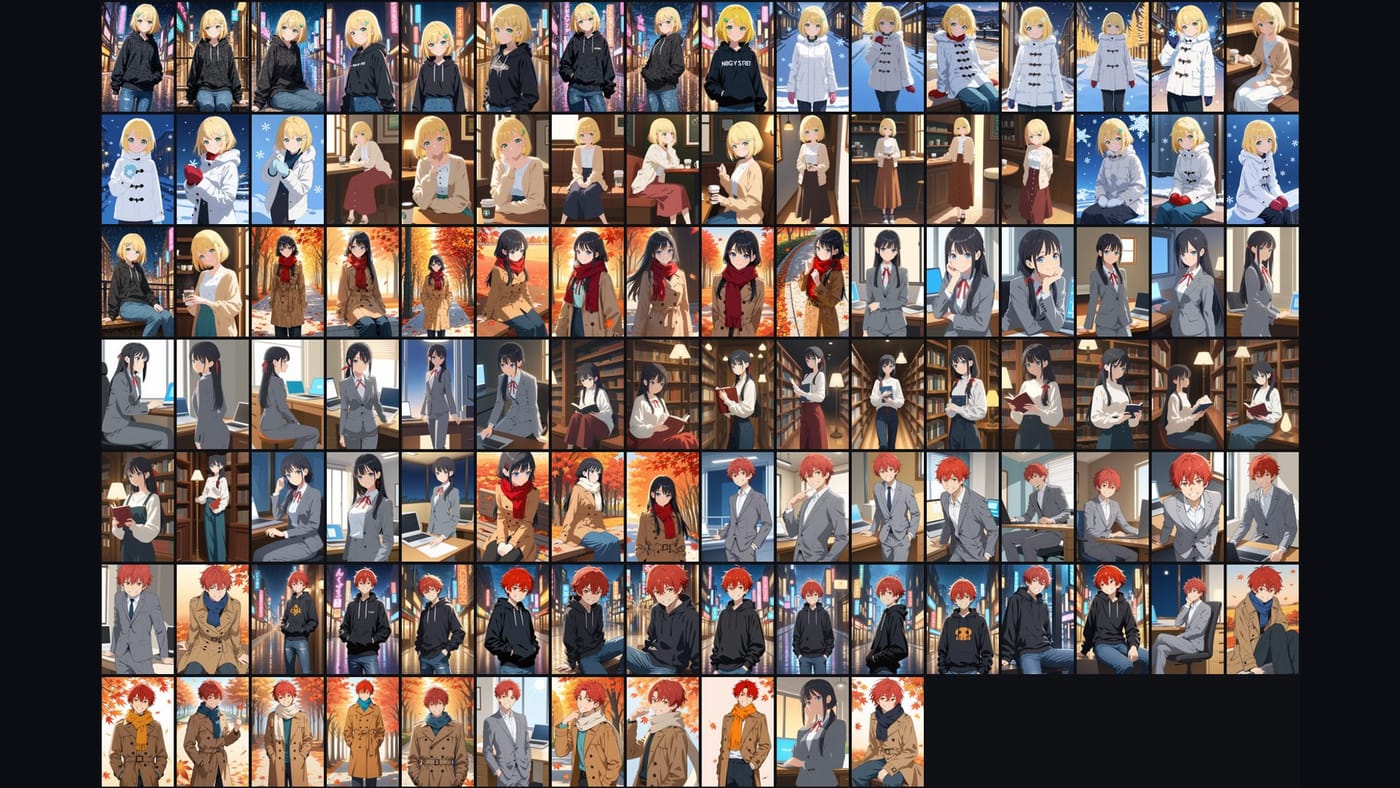
Art Sorter does not know character names. It knows "these are the same character" and "these are the same scene"; you can name a group once and every file in it is renamed.
Tips for a clean result
- Put all your saved pictures in one place before sorting, so a set saved on different days can meet.
- Keep the largest version of each picture; variations are often posted at full size first and shrunk later.
- If a set looks split in two, drag the pictures together; the next sort will keep them together.
Questions
Will variations be treated as duplicates? No. Only real copies of the same picture go to the duplicates folder.
Can I try it first? Yes. Up to 300 pictures are free, then it is a one-time purchase.
Do my images get uploaded? No. Image files stay on your PC. Numeric features and tag words are sent to our server to work out the order, so an internet connection is needed while sorting.