How to organize images from Fantia, Ci-en, DLsite and Skeb (supporter plans and purchases in one collection)
Supporting Japanese creators across Fantia, Ci-en, FANBOX and Skeb, plus DLsite purchases, leaves zips and folders in five different naming styles. How to bring them into one collection sorted by character, without losing which set each image came from.
Five sites, five naming styles
If you follow Japanese illustrators, your images probably come from more than one place:
- pixivFANBOX and Fantia supporter plans: monthly posts and reward zips
- Ci-en: plan posts and progress images from doujin creators
- DLsite and BOOTH: purchased CG collections and art books, usually as zips with a readme
- Skeb: commissions, one image at a time, named by request ID
Every site names files its own way. Some use the post title in Japanese, some use dates, some use numbers only. After a year the folder is a mix of 【2026年8月】支援者向け.zip, RJ01234567.zip, skeb_0042.png and a few hundred loose images.
The question folders cannot answer
Sorting by site and creator keeps your purchases tidy. It answers "what did I get from this creator in August". It does not answer "show me every picture of this character", and when the same character appears in a FANBOX post, a DLsite set and a Skeb commission, those three live in three different places.
Sort by character, keep the sets together
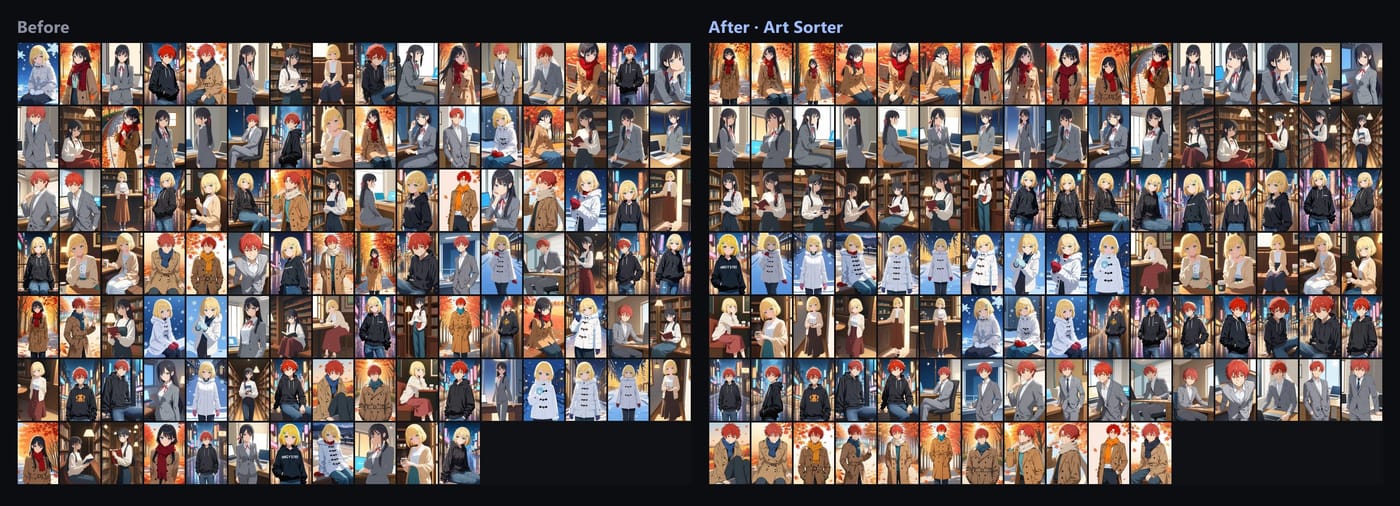
Art Sorter brings everything into one line:
- Zips are opened for you. Zip, 7z and rar are extracted, including archives inside archives. In copy mode the originals stay as they were.
- Same character together across all sites and creators, then ordered by scene and sequence.
- Sets stay together. Original folders and file names are used as a clue, so a 40-image purchased set stays in one block even when the art style changes inside it.
- Japanese file names are fine. Nothing is renamed unless you ask.
- Copies set aside. The normal and high-resolution versions of the same image are found, and the larger one stays in your line.
Your images are never uploaded. No account, no cloud library. Recognition runs on your PC, and the order is matched by our server from descriptions of the images (numeric fingerprints and tag words), so sorting needs an internet connection. What you support and buy stays private.
A monthly routine
- Download new posts and purchases as usual, into any folder.
- Drop them onto Art Sorter and choose add to my collection. Only the new images are analyzed.
- New images slot in next to the ones they resemble; what you already arranged stays put.
- Name each new character once. The name is suggested again next month.
A note on purchases and rewards
Supporter content and purchases are for you. Follow each creator's and each store's terms, and do not share or re-upload them. Art Sorter never sends your images anywhere.
Common questions
Some zips need a password. Unpack those yourself first, then add the folder.
Does it work with images that have no tags or titles? Yes. It sorts by what is drawn, not by metadata.
Can I try it first? Yes. You can try up to 300 images for free, then pay once to keep using it. One-time purchase, no subscription. Also sold on BOOTH.