Find duplicate images, including resized and re-saved copies
Exact-match tools miss copies that were resized, converted to WebP or saved again. How visual duplicate detection works, where it stops, and which tool fits which job.
Why most duplicate finders miss most of your copies
The simplest duplicate finders compare file contents byte by byte, or compare a checksum of the file. Two files match only if they are exactly the same file.
Real collections rarely look like that. The same picture arrives as a full-size PNG from the artist, a smaller JPEG from a repost, a WebP from a browser save and a recompressed copy from a chat app. To a byte comparison those are four different files.
How visual matching works
Visual duplicate detection compares what the image looks like instead of how the file is stored. A common method is the perceptual hash:
- Shrink the image to a tiny grayscale version, so size and color depth stop mattering.
- Turn its overall structure into a short fingerprint.
- Compare fingerprints. If two differ by only a few bits, the images look the same.
That catches resized copies, format changes (PNG, JPEG, WebP), recompression and small edits such as a watermark in the corner.
It does not reliably catch heavy crops, mirrored images or pictures that were edited a lot. Those look different enough that any honest tool should treat them as separate images.
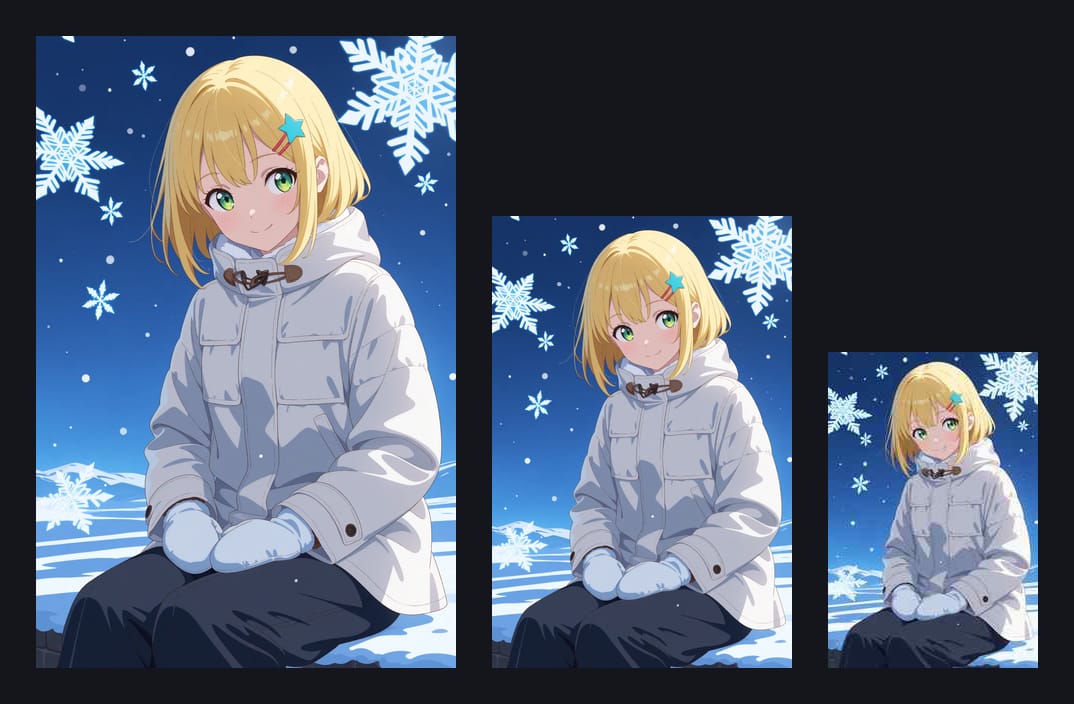
Duplicates versus near-duplicates
AI generation adds a third case: variants. Same prompt, slightly different hands or expression. They are not copies, and deleting them automatically would throw away work.
A good workflow keeps the two apart. Real copies can go straight to a review folder. Variants stay in your collection, next to each other, so you can pick favorites by eye.
Which tool for which job
| Tool | Price | Good for |
|---|---|---|
| dupeGuru | Free, open source | A one-time cleanup. Its picture mode finds visually similar images. |
| Czkawka | Free, open source | Fast similar-image scans on large drives. |
| Art Sorter | Paid, 300 images free | Finding copies as part of sorting the whole folder by character and scene. |
If all you want is to delete duplicates once, a free tool is enough. Art Sorter makes sense when the duplicates are one symptom of a folder you also want sorted.
How Art Sorter handles duplicates
- Copies are found by what the picture looks like, so resized, converted and re-saved versions are caught.
- When two copies differ in size, the larger one stays in your sorted line and the smaller one goes to the duplicates folder.
- Nothing is deleted. You compare the pairs side by side and empty the folder yourself.
- Images that are almost blank (a single flat color) are skipped by the visual check, because they would all look alike.
In a real test folder of 360 images that held 180 originals plus a set of their preview copies, the old byte-level check found 0 pairs. The visual check found 181.
A safe cleanup checklist
- Work on a copy first, or use a tool that only moves files to a review folder.
- Keep the version with the largest resolution.
- Look at pairs side by side before deleting anything.
- Leave near-identical variants alone until you have chosen favorites.
- Empty the review folder only after a few days of normal use.