Sorting images into folders with WD14 Tagger or TagGUI: what works and what does not
WD14 Tagger and TagGUI write tags for your images, but they do not sort anything. What it takes to turn tags into folders, where that breaks, and how to group by character and scene without writing a script.
The short answer
WD14 Tagger (the tagging extension for Stable Diffusion WebUI) and TagGUI are good at one thing: looking at a picture and writing a list of tags such as 1girl, long_hair, school_uniform, outdoors. They do not move files, make folders or put anything in order. To sort a folder with them you have to add the second half yourself: rules or a script that read the tags and decide where each file goes.
If you want folders by character and scene without writing rules, a tool that does the grouping for you is a better fit. Art Sorter uses a tagger like WD14 inside, together with a character model and a scene model, and turns the result into one sorted line.
What tagging gives you
- A text file of tags next to each image, or tags written into the file name.
- Good recall for general things: hair color, clothing, number of people, indoors or outdoors.
- A rating guess, which some people use to split folders.
Where "tags to folders" breaks
- Character tags are unreliable. Taggers know popular characters by name, but original characters, less famous ones and AI-generated characters get only generic tags. Two different characters with long black hair and a uniform look the same in tag form.
- Tags do not know order. A set of pictures that tells a little story comes back as a bag of tags with no sequence.
- Rules multiply. "Put long_hair and school_uniform in folder A" works for ten images. For ten thousand you end up maintaining dozens of rules and exceptions.
- Near-duplicates stay mixed in. Tagging does not tell you which files are the same picture saved twice or resized.
What to do instead
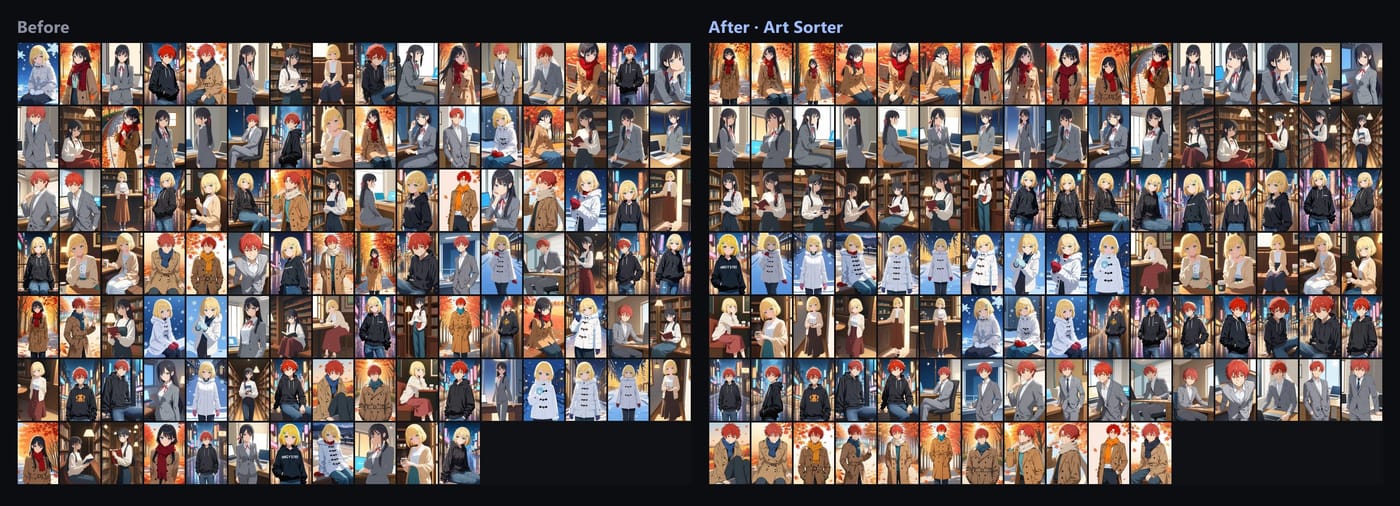
Use the tags for searching, and let a grouping tool decide which pictures belong together:
- Install Art Sorter (Windows 10 / 11).
- Drop the folder, or a zip, 7z or rar file, onto the window. Choose copy (originals untouched) or move.
- It groups images of the same character (even across different artists and styles), keeps the same scene together, lines them up in order and sets duplicates aside.
- Fix anything it got wrong by dragging, and name a group once.
- If you still want tags for search, export names and tags to Hydrus sidecars, XMP for digiKam and XnView MP, Eagle or CSV.
Your images are never uploaded. Recognition runs on your PC, and the order is matched by our server from descriptions of the images (numeric fingerprints and tag words), so sorting needs an internet connection.
Related questions
Do I need Stable Diffusion WebUI or Python? No. Art Sorter is a normal Windows program.
Does it need a graphics card? No. A DirectX 12 GPU is used automatically if you have one, which makes it faster.
Can I keep using TagGUI for captions? Yes. Captioning for training and sorting a collection are different jobs, and the two work fine side by side.